
NexiGo Wireless Controller (No Deadzone) for Switch/Switch Lite/OLED, Bluetooth Controllers for Nintendo Switch with Vibration, Motion, Turbo and LED Light (Cosmic Nebula)
Original price was: $49.99.$39.99Current price is: $39.99.



Price: $49.99 - $39.99
(as of May 22, 2024 01:03:55 UTC – Details)

Product Description


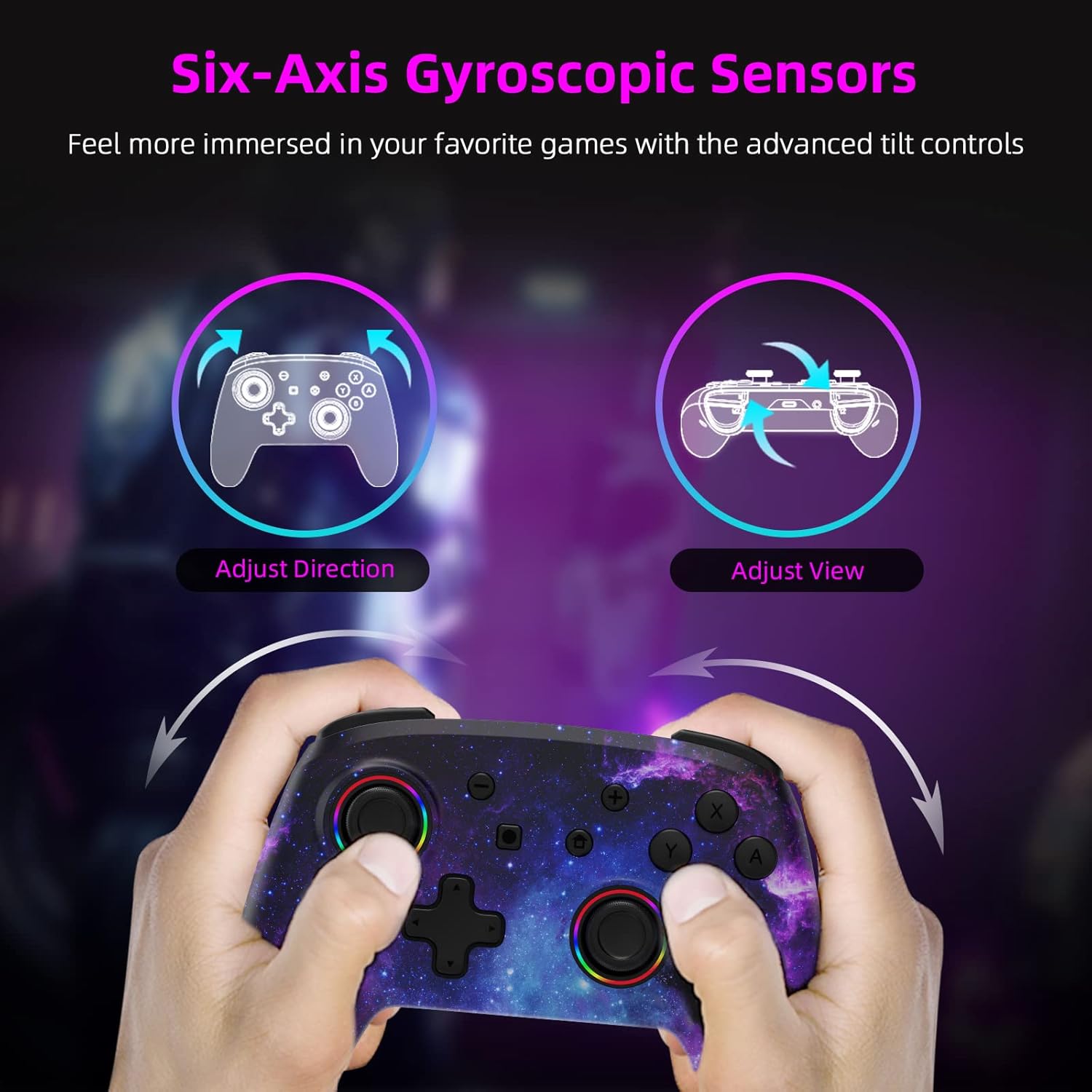
1 RGB Ring Light 2 Turbo Mode 3 Adjustable Vibration 4 Six-Axis Gyroscope Sensor 5 Ergonomic Design


1 Gaming Competition 2 Family Time 3 Leisure Time 4 Party Time

NexiGo Controllers Collection
Add to Cart
Add to Cart
Add to Cart
Add to Cart
Add to Cart
Add to Cart
Add to Cart
Customer Reviews
4.5 out of 5 stars
4,120
4.6 out of 5 stars
998
4.6 out of 5 stars
998
4.2 out of 5 stars
864
4.3 out of 5 stars
2,038
4.4 out of 5 stars
276
4.7 out of 5 stars
429
Price
$39.99$39.99
$39.99$39.99
$39.99$39.99
$49.99$49.99
$39.99$39.99
$19.99$19.99
$29.99$29.99
Compatibility
Nintendo Switch, Lite, OLED
Nintendo Switch, Lite, OLED
Nintendo Switch, Lite, OLED
Nintendo Switch, OLED
Nintendo Switch
4 Joy-Cons,1 Pro Controller
Switch, NexiGo Gripcon
Charging Ports
At Top of Controller
At Top of Controller
At Top of Controller
At Bottom of Controller
At Bottom of Controller
Charging Slot
—
LED Indicators
✓
✓
✓
✓
—
✓
—
Feature
RGB Lights, Ergonomic Design
RGB Lights, Turbo
RGB Lights, Turbo
Ergonomic Design
Ergonomic Design
Fast Charging
Large Capacity, Portable
Color
Cosmic Nebula
Pink Unicorn
Violet Unicorn
Cosmic Nebula
Black
Cosmic Nebula
Black
How do I use the RGB lighting function on the joysticks?
Press and hold the “Turbo” button, then press either joystick to change the lights’ colors. Press and hold the “Turbo” button, then double-tap one of the joysticks to activate the special RGB lighting mode.
Does this controller work with Switch OLED?
Yes, this controller is compatible with Switch OLED, as well as Nintendo Switch and Switch Lite.
How do I adjust the vibration strength?
Press the “Turbo” button, and simultaneously nudge the joystick backward/forward to decrease/increase the vibration strength.
How do I calibrate the motion controls?
Use the console’s built-in system menu to calibrate the motion controls. Go to System Settings > Controllers and Sensors > Calibrate Motion Controls.
【Dual Motors and Six-Axis Gyroscope】The NexiGo Wireless Pro Controller for the Nintendo Switch comes with dual haptic feedback motors and six-axis gyroscopic sensors to give you the best possible gaming experience.
【LED Indicator】The NS32 controller is designed with LED activity indicator rings around the thumbsticks that light up and flash as you use them.
【Fast Charging】 With fast-charging capability, this controller can be fully charged in 2-3 hours and the battery lasts up to 10 hours of gameplay.
【Bluetooth Connection】Easily pairs with the Switch via a Bluetooth connection. Only need to pair it with the wire the first time, and it can be used wirelessly from then on.
【Comfortable Non-Slip Design】Made of ABS material with a comfortable texture and non-slip grips, the ergonomic design will help reduce stress and fatigue on the hands.
User Reviews
Be the first to review “NexiGo Wireless Controller (No Deadzone) for Switch/Switch Lite/OLED, Bluetooth Controllers for Nintendo Switch with Vibration, Motion, Turbo and LED Light (Cosmic Nebula)”
Related Products


Original price was: $49.99.$39.99Current price is: $39.99.

There are no reviews yet.